
Documentation Writing
About 465 wordsAbout 2 min
Important
Documentation writing should comply with MarkdownLint standards. Please refer to MarkdownLint Rules. You can use the VSCode Plugin to assist in writing.
Alert Containers
M9A documentation is built with VuePress Theme Plume, which supports rich Markdown extension syntax.
Use container syntax (::: type format) to create alert boxes:
Note
This is a note box
Info
This is an info box
Tips
This is a tip box
Warning
This is a warning box
Caution
This is a danger warning box
Details
This is a collapsible details box
Custom Titles
You can add custom titles after the container type:
::: tip Quick Tip
This is the tip content
:::

::: warning Important Notice
Please pay attention to this important warning
:::
Tips
Nested containers may not render correctly. It's recommended to avoid using multiple levels of nesting.
Images
To add images to the documentation, follow these steps:
Upload the image to the public repository M9A-WEB
- Place the image in the corresponding subdirectory (e.g.,
docs/.vuepress/public/images/develop/) - Use clear, descriptive names with lowercase letters and hyphens (e.g.,
pipeline-flow.png)
- Place the image in the corresponding subdirectory (e.g.,
Construct the image URL path
- Formula:
/images/[subdirectory]/[filename] - Example: Upload to
public/images/zh-cn/newbie-init-script-step2.webp, URL is/images/zh-cn/newbie-init-script-step2.webp
- Formula:
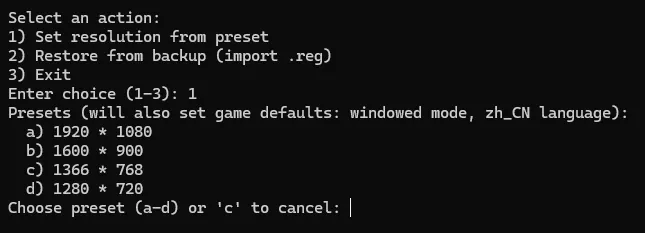
Insert the image using Markdown syntax in the documentation
Tips
- PNG or WebP format is recommended for better display quality
- Keep image size under 500KB when possible
- Add meaningful alt text (description) to improve accessibility
Code Blocks
Basic Code Blocks
Use three backticks to wrap code and specify the language:
```python
def hello():
    print("Hello, World!")
```
Code Block Features
Supports the following enhanced features:
- Line Numbers: Enabled by default
- Line Highlighting: Add
{line}or{line-range}after language identifier - Filename Display: Add
:filenameafter language identifier
Example:
```python:example.py {2,4-6}
def hello():
    name = "World"  # highlighted
    message = f"Hello, {name}!"
    print(message)  # highlighted
    print("Done")  # highlighted
    return message  # highlighted
```
Tabs
Use tabs to organize multiple solutions or code examples:
This is content for solution 1
This is content for solution 2
print("Example code")You can nest code blocks, images, and other markdown elements inside tabs as shown above.
File Tree
Display project directory structure:
::: file-tree

- docs/
    - zh_cn/
        - develop/
            - pipeline.md
            - custom.md
    - en_us/
        - develop/
            - pipeline.md
            - custom.md
- resource/

:::
More Features
VuePress Theme Plume also supports:
- Math Formulas: Render mathematical formulas using KaTeX
- Charts: Support for Mermaid, Chart.js, ECharts
- Card Components: Link cards, image cards, repository cards
- Steps Container: Display operation steps
- Timeline: Display time sequences
For detailed usage, please refer to VuePress Theme Plume Official Documentation